Verify your email address. Please check your spam folder as sometimes the email may arrive there.
Log in to the user portal.
That’s it — your account is ready.
Step 2
Access your user portal
Once logged in to the User Portal, you will see a navigation menu on the left-hand side.
From here, you can:
Manage your sites
Generate and manage API keys
Monitor traffic and threats
Configure protection settings
Access additional features and tools
Step 3
Create a new site
Before integration, you need to generate public and private API keys for your website or mobile application.
Steps
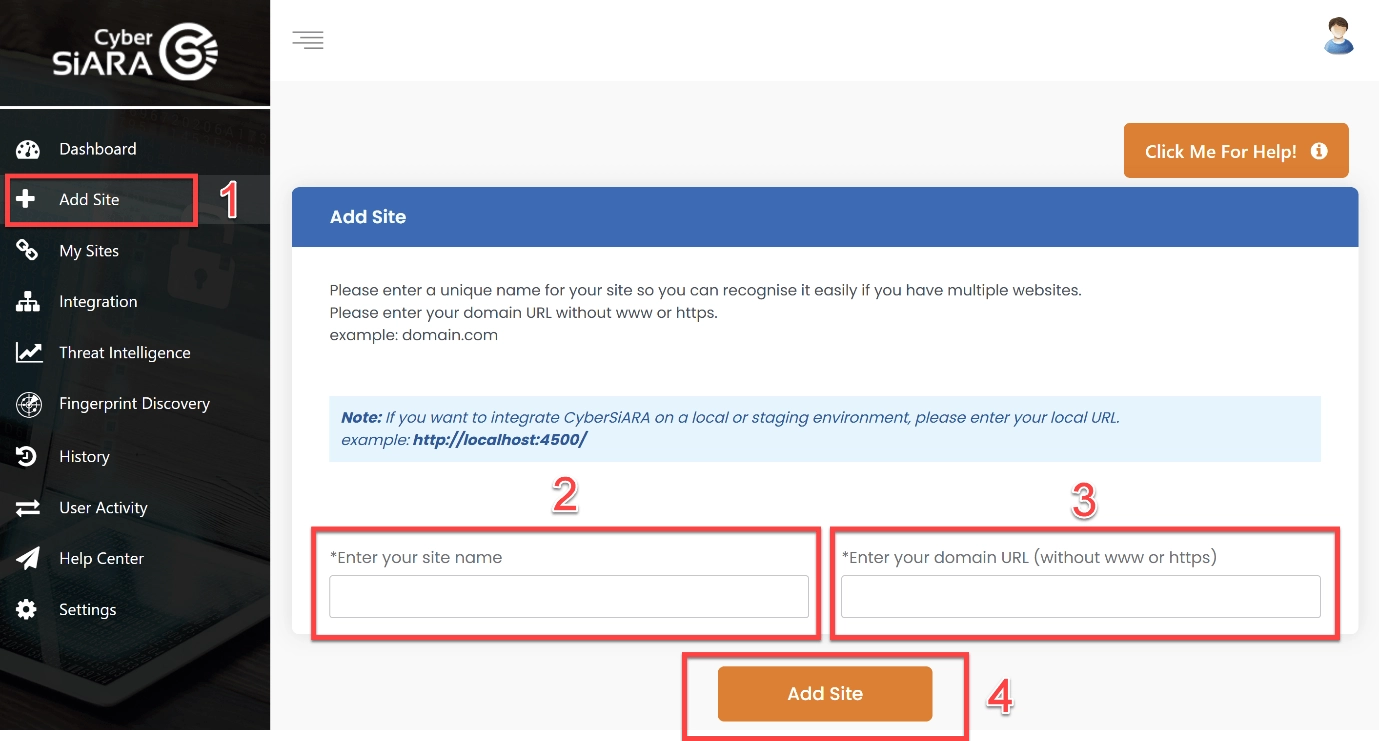
Click “Add Site”
Enter your website or app name.
Add your domain (e.g. example.com). There is no need to include www or https.
If you are integrating SiARA Shield in a local or staging environment, enter your local URL instead. Example: http://localhost:4500/
Click “Add Site”.
Your API keys will be generated automatically.
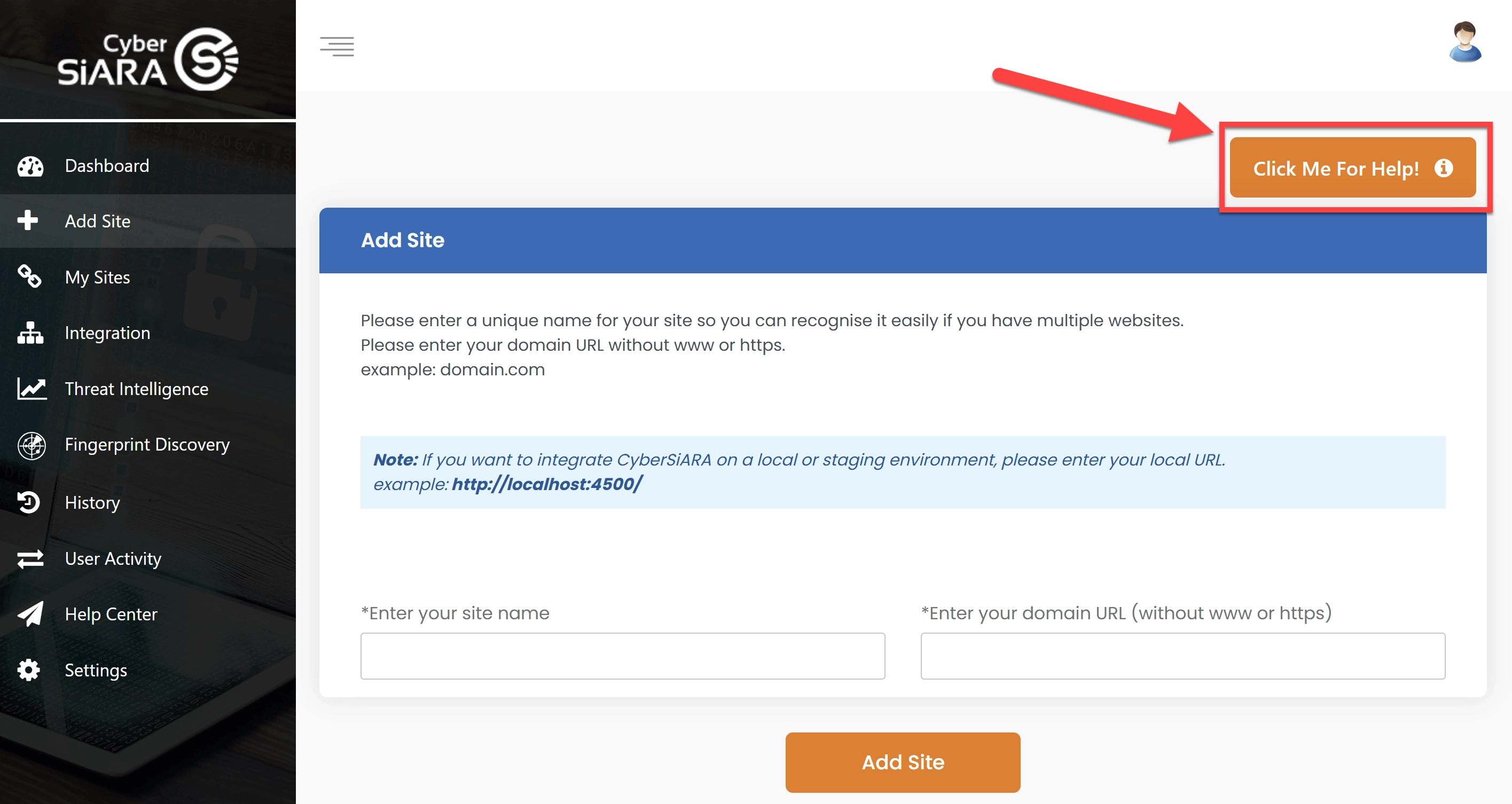
If you need assistance during this process, click “Click me for help” to launch a guided tour.
Step 4
Get the SiARA Shield plugin
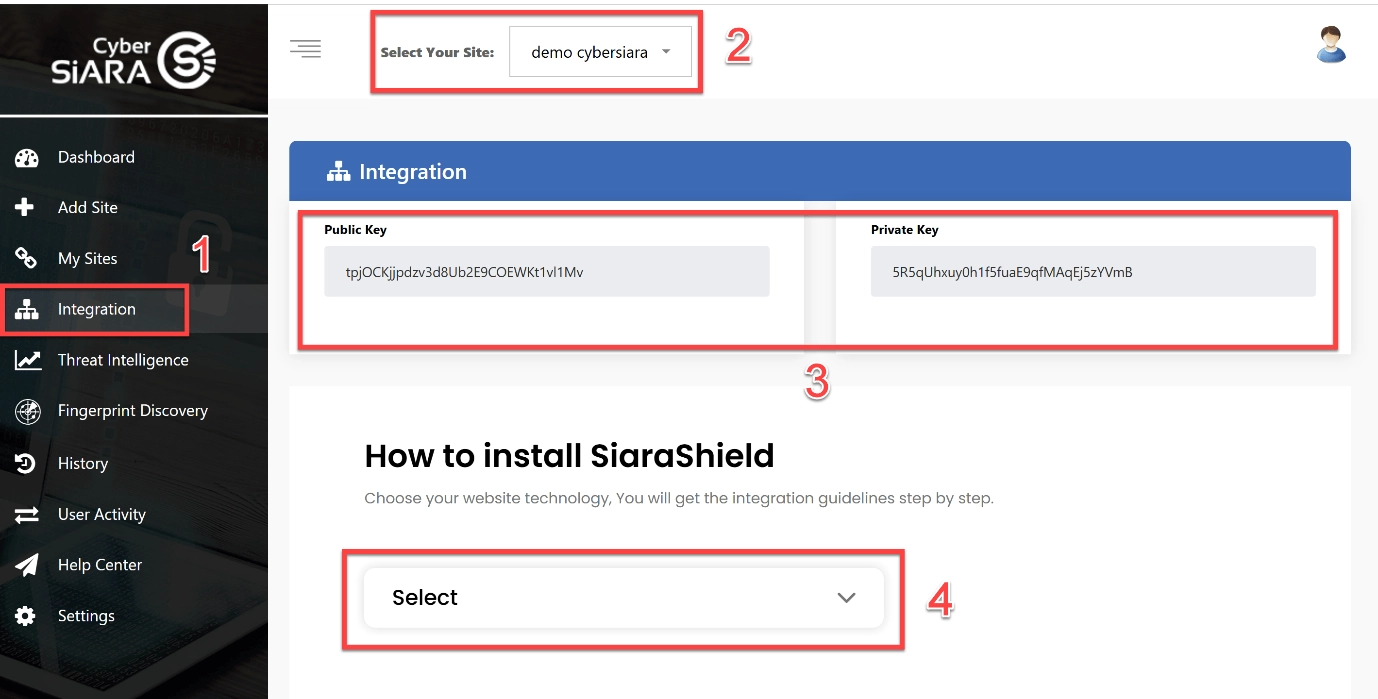
Click “Integration”.
Select the site you created in the previous step.
You will see your public key and private key. Please keep them secure, as you will need them for integrating SiARA Shield into your application.
Select your website or app technology from the dropdown menu. A full step-by-step integration guide will be provided automatically. The system will automatically generate tailored integration instructions based on your selected technology.
You also have the option to send the integration guide directly to your developer team.
That’s it — integration is simple and straightforward.
Step 5
Test & go live
Once integration is complete:
Test your forms (login, signup, etc.)
Ensure verification is working correctly
Deploy your application to production
Your platform is now protected by SiARA Shield.
Support
Need help?
If you need any assistance with setup or integration, our team is here to support you.
We use cookies for essential site functionality. Analytics and marketing tools load only if you choose Accept all. SiaraShield bot verification remains cookie-free. Read our Privacy Policy.